
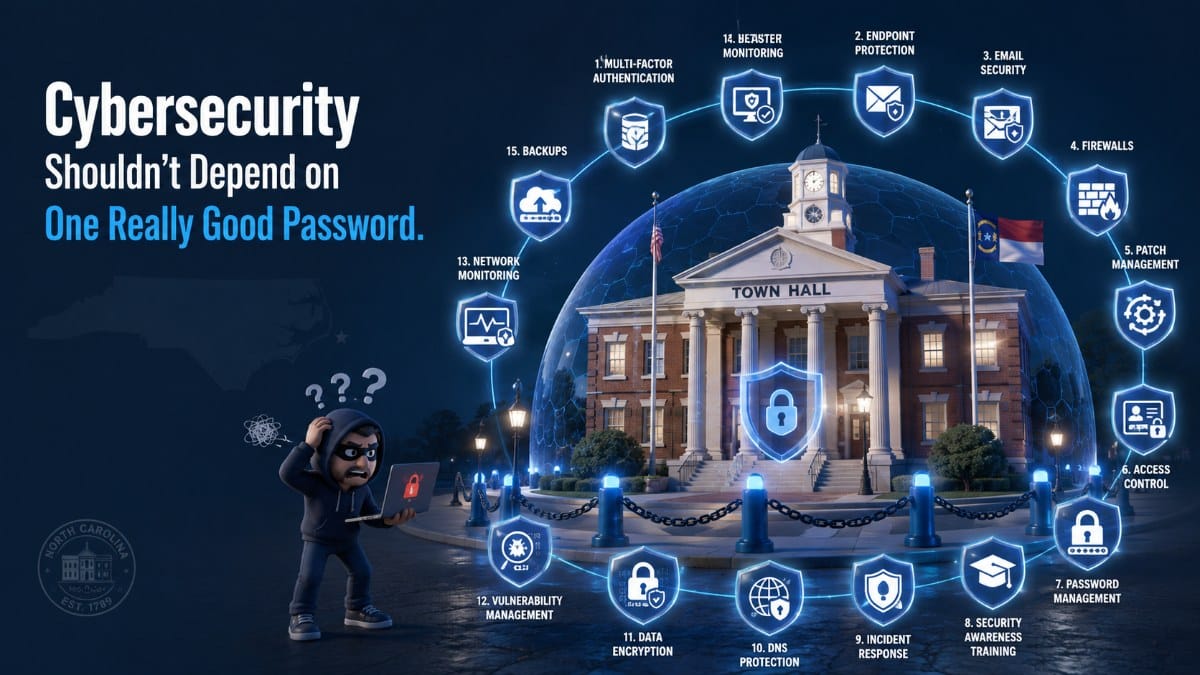
North Carolina municipalities do not need dozens of disconnected cybersecurity products. They need a documented, layered security program addressing leadership, technology assets, identities, endpoints, networks, monitoring, incident response, and recovery.
A practical way to organize that program is around the six functions of the NIST Cybersecurity Framework 2.0:
Govern → Identify → Protect → Detect → Respond → Recover
NIST uses these six functions to organize cybersecurity outcomes at the highest level.
Using that framework, here are 15 cybersecurity controls every North Carolina municipality should evaluate in 2026.
Quick Municipal Cybersecurity Checklist
GOVERN
- Assign cybersecurity ownership
- Conduct regular risk assessments
- Manage third-party and vendor risk
IDENTIFY
- Maintain an accurate technology inventory
- Establish vulnerability management
PROTECT
- Require multi-factor authentication
- Enforce least privilege
- Deploy Endpoint Detection and Response
- Patch systems consistently
- Segment municipal networks
- Train employees
DETECT
- Centralize security logging and monitoring
RESPOND
- Maintain and test an incident response plan
RECOVER
- Maintain protected backups
- Test disaster recovery and restoration
This checklist is a planning framework, not a compliance certification or substitute for a formal risk assessment.
GOVERN: Make Cybersecurity Someone’s Responsibility
1. Assign Cybersecurity Ownership
Someone must own the cybersecurity program.
That may be:
- An IT Director
- Town Manager
- Technology Coordinator
- Managed IT Provider
- Co-managed IT team
Leadership should be able to answer:
Who is accountable when a cybersecurity problem is identified?
Policies should also address areas such as:
- Acceptable use
- Authentication
- Remote access
- Employee onboarding
- Employee termination
- Incident reporting
- Vendor access
2. Conduct Regular Risk Assessments
A risk assessment helps determine where the municipality is most exposed.
Review:
- Critical systems
- Sensitive data
- Administrative accounts
- Aging technology
- Internet-facing systems
- Remote access
- Backups
- Security monitoring
- Vendor dependencies
The goal is not to eliminate every theoretical risk.
It is to identify which risks deserve attention first.
3. Manage Third-Party and Vendor Risk
Municipalities may rely on outside organizations for:
- Financial software
- Police applications
- Utility systems
- Cloud platforms
- Internet connectivity
- Phone systems
- Managed IT
- Backup services
Document which vendors have access to municipal systems and what level of access each one has.
Remove access when it is no longer required.
IDENTIFY: Know What You’re Protecting
4. Maintain an Accurate Technology Inventory
You cannot protect technology you do not know exists.
Maintain an inventory of:
- Computers
- Servers
- Firewalls
- Switches
- Wireless access points
- Mobile devices
- Cloud platforms
- Software
- Administrative accounts
Whenever practical, also record:
- Location
- Owner
- Age
- Warranty status
- Support status
5. Establish Vulnerability Management
Municipal systems should be evaluated for known weaknesses and outdated technology.
Look for:
- Missing patches
- Unsupported operating systems
- Unsupported applications
- Exposed remote services
- Old firewall firmware
- Security misconfigurations
Prioritize high-risk vulnerabilities rather than treating every finding equally.
PROTECT: Reduce the Chance of a Successful Attack
6. Require Multi-Factor Authentication
Passwords alone should not protect critical accounts.
MFA should be prioritized for:
- Microsoft 365
- Administrative accounts
- VPN access
- Remote access
- Cloud applications
- Critical systems
7. Enforce Least Privilege
Employees should receive the access required for their jobs—not unrestricted administrative privileges.
Regularly review:
- Local administrators
- Microsoft 365 administrators
- Shared accounts
- Former employees
- Vendor accounts
8. Deploy Endpoint Detection and Response
Modern municipal environments need more visibility than traditional antivirus alone typically provides.
Endpoint Detection and Response can help detect suspicious activity on:
- Workstations
- Laptops
- Servers
- Remote devices
9. Patch Systems Consistently
Maintain a documented process for security updates.
Prioritize:
- Internet-facing systems
- Browsers
- Microsoft applications
- Firewalls
- Remote-access tools
- Servers
- Critical applications
CISA’s current Cybersecurity Performance Goals include vulnerability management and timely remediation as foundational protections.
10. Segment Municipal Networks
Not every system needs unrestricted access to every other system.
Where appropriate, separate:
- Police systems
- Administrative systems
- Public Wi-Fi
- Guest networks
- Security cameras
- Building systems
- Specialized operational technology
Segmentation can help limit unnecessary communication between systems.
11. Train Employees
Employees should know how to recognize:
- Phishing emails
- Suspicious attachments
- Fake login pages
- Social engineering
- Unexpected MFA prompts
- Fraudulent payment-change requests
Training should also explain exactly how employees report suspicious activity.
DETECT: Know When Something Is Wrong
12. Centralize Security Logging and Monitoring
Security logs may reveal:
- Failed logins
- Suspicious administrator activity
- Endpoint alerts
- Account changes
- Unusual access
Collecting logs is only part of the job.
Someone needs to monitor meaningful alerts and escalate potential incidents.
RESPOND: Have a Plan Before an Incident
13. Maintain and Test an Incident Response Plan
Do not create your ransomware plan during a ransomware attack.
Document:
- Who makes decisions
- Who contacts IT
- Who contacts cyber insurance
- Who coordinates with law enforcement
- Who communicates with employees
- Who manages public communications
- Which systems receive recovery priority
Conduct tabletop exercises so decision-makers can practice the process.
RECOVER: Be Able to Restore Operations
14. Maintain Protected Backups
The municipality should know:
- What is backed up
- How frequently backups occur
- Where copies are stored
- Who monitors failures
- How backup accounts are protected
- When restoration was last tested
CISA recommends maintaining backups of critical data and protecting recovery copies from compromise.
15. Test Disaster Recovery and Restoration
A dashboard showing “backup successful” does not prove the municipality can recover.
Test restoration.
Document:
- Which systems are restored first
- Who performs the recovery
- What applications depend on one another
- How long restoration may take
- What temporary procedures departments will use
Police, finance, utilities, administration, and other departments may have very different recovery priorities.
How Many of the 15 Can Your Municipality Check Today?
Use this as a planning exercise:
13–15 controls: Strong baseline. Continue testing and improving.
9–12 controls: Important gaps remain.
5–8 controls: Develop a formal remediation roadmap.
0–4 controls: Begin with a comprehensive cybersecurity assessment and prioritize the most critical risks.
This score is a planning tool—not a cybersecurity certification.
Frequently Asked Questions About Municipal Cybersecurity
How do we know if our municipality is actually secure enough?
There is no single product or checklist that proves a municipality is “secure enough.”
Start with a structured risk assessment and evaluate whether the municipality has foundational controls such as:
- MFA
- Endpoint protection
- Patch management
- Tested backups
- Least-privilege access
- Monitoring
- Employee training
- Incident response
The important outcome is a documented list of risks, priorities, owners, and remediation dates.
What cybersecurity controls will our cyber insurance provider expect us to have?
Requirements vary by insurer and policy.
Municipalities should ask their insurance provider directly what controls affect eligibility, coverage, exclusions, and renewal.
Common areas insurers may ask about include:
- Multi-factor authentication
- Endpoint protection
- Backup security
- Employee training
- Patch management
- Administrative access
- Incident response
Do not assume last year’s requirements will automatically remain the same at renewal.
What should our municipality do first if we are hit by ransomware?
First, activate the municipality’s incident response plan and begin isolating affected systems so the incident does not spread unnecessarily. CISA’s ransomware guidance recommends identifying impacted systems and immediately isolating them.
Then:
- Notify the appropriate municipal leadership and IT/security response team.
- Contact cyber insurance according to the policy’s requirements.
- Preserve evidence and logs.
- Coordinate with appropriate law-enforcement and response resources.
- Determine which systems are affected.
- Begin recovery only after the environment is sufficiently understood and contained.
North Carolina also requires local-government entities to report qualifying cyber incidents, with NCDIT stating that reporting should occur within 24 hours of confirmation.
How do we know whether our backups would actually work after a ransomware attack?
Test them.
A municipality should periodically restore representative files, applications, or systems rather than relying only on successful backup notifications.
Leadership should know:
- What can be restored
- Who performs the restore
- How long recovery could take
- Which systems receive priority
- Whether recovery copies are isolated from production systems
Do all municipal employees really need cybersecurity training and MFA?
All employees who use municipal technology should receive appropriate cybersecurity awareness training.
MFA should also be deployed broadly where supported, particularly for email, cloud platforms, remote access, administrative accounts, and other high-value systems.
The exact implementation may vary by application and risk, but the goal is to avoid relying on passwords alone for sensitive access.
How much should a municipality budget for a professional cybersecurity assessment?
The answer depends on the size of the environment and the depth of the assessment.
As a useful municipal benchmark, ICMA guidance published in 2026 says that many towns may receive basic assessment services through their cybersecurity insurer; otherwise, it suggests planning approximately $5,000–$10,000 annually for a professional security assessment.
Before comparing prices, determine whether the assessment includes:
- External vulnerability review
- Internal vulnerability review
- Microsoft 365 review
- Identity and access review
- Backup review
- Policy review
- Executive findings
- Prioritized remediation roadmap
A cheaper assessment that produces only a technical scan may not provide leadership with the planning information it actually needs.
Build a Cybersecurity Roadmap, Not a Shopping List
Cybersecurity is not about purchasing as many products as possible.
It is about creating layers that work together.
A practical municipal strategy is:
- Identify what you have.
- Determine what needs protection.
- Identify the greatest risks.
- Determine which controls are missing.
- Prioritize remediation.
- Test whether the controls actually work.
CW IT Support works with municipalities across North Carolina on managed IT, cybersecurity, CJIS support, monitoring, backup and disaster recovery, and strategic technology planning.
Want to understand where your municipality has cybersecurity gaps? Contact CW IT Support to discuss a municipal cybersecurity assessment.
Previously Published in Our North Carolina Municipal IT Series
- How Much Does Managed IT Cost for a North Carolina Municipality in 2026?
- CJIS Compliance Checklist for North Carolina Municipalities (2026)
- Should a North Carolina Municipality Hire an Internal IT Director or Outsource to a Managed IT Provider?
- What Happens in the First 90 Days After a North Carolina Municipality Switches IT Providers?