
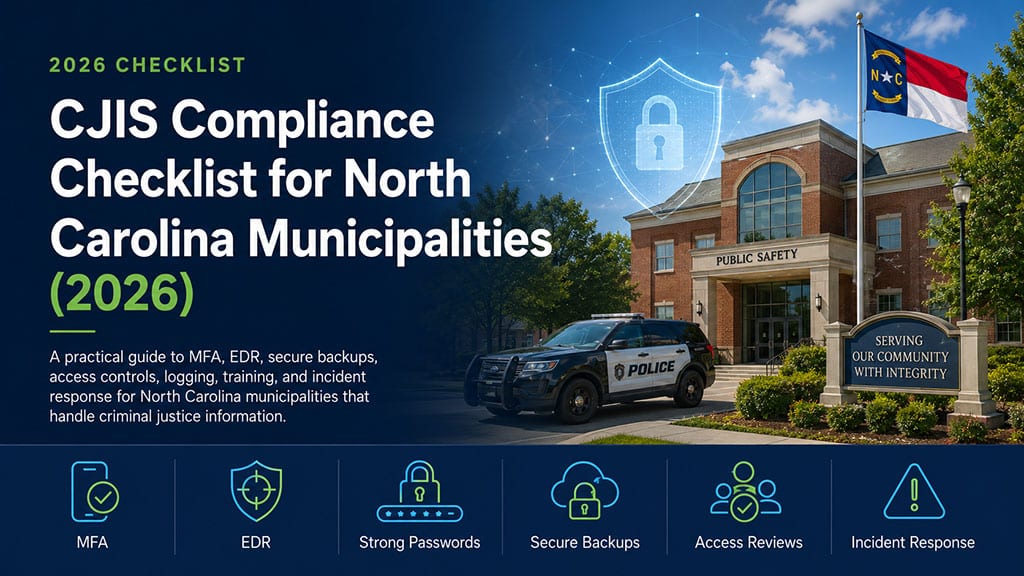
If your municipality operates a police department or accesses Criminal Justice Information (CJI), CJIS compliance isn’t optional—it’s essential. Failure to meet the FBI’s Criminal Justice Information Services (CJIS) Security Policy can expose your municipality to cybersecurity threats, audit findings, operational disruptions, and the potential loss of access to critical law enforcement systems.
The good news is that compliance doesn’t have to be overwhelming. For most North Carolina municipalities, following a structured cybersecurity strategy can significantly reduce risk while improving operational resilience and audit readiness.
This guide provides a practical CJIS compliance checklist to help municipal leaders understand the key security controls every municipality should have in place.
If you’re planning next year’s technology budget, our guide on How Much Does Managed IT Cost for a North Carolina Municipality in 2026? explains what municipalities should expect to invest in secure, fully managed IT services.
Quick CJIS Compliance Checklist
Before diving into the details, here’s a high-level checklist every municipality should review:
✅ Enable Multi-Factor Authentication (MFA)
✅ Deploy Endpoint Detection & Response (EDR)
✅ Enforce strong password policies
✅ Encrypt and regularly test backups
✅ Review user permissions regularly
✅ Conduct ongoing security awareness training
✅ Secure networks with business-class firewalls
✅ Develop and test an incident response plan
✅ Enable security logging and monitoring
✅ Perform regular vulnerability management
If your municipality can’t confidently check every item on this list, there may be opportunities to strengthen your cybersecurity posture.
What Is CJIS Compliance?
The FBI’s Criminal Justice Information Services (CJIS) Security Policy establishes the minimum security standards for organizations that access, transmit, process, or store Criminal Justice Information (CJI).
For municipalities, this commonly includes:
- Police Departments
- Sheriff’s Offices
- Emergency Communications (911)
- Municipal Courts
- IT personnel supporting CJIS-connected systems
- Approved third-party technology providers
CJIS compliance extends far beyond police software. It includes how users authenticate, how devices are secured, how networks are protected, how backups are managed, and how municipalities prepare for cybersecurity incidents.
10-Step CJIS Compliance Checklist
1. Enable Multi-Factor Authentication (MFA)
Multi-factor authentication adds an additional layer of protection beyond passwords and is one of the most effective ways to prevent unauthorized access.
Examples include:
- Microsoft Authenticator
- Hardware security keys
- Approved authentication applications
Every employee with access to CJIS-related systems should use MFA.
2. Maintain Strong Password Policies
Passwords should be:
- Unique for every user
- Complex enough to resist attacks
- Securely stored
- Managed according to organizational policy
Many municipalities also implement password managers to improve security while reducing password-related support requests.
3. Protect Every Endpoint
Every workstation, laptop, and mobile device should include:
- Endpoint Detection & Response (EDR)
- Anti-malware protection
- Automatic security updates
- Full-disk encryption
- Mobile device management
Remote employees and field personnel should receive the same level of protection as users working inside Town Hall.
4. Secure Your Network
Municipal networks should include:
- Business-class firewalls
- Secure wireless networks
- Network segmentation
- VPN access for authorized remote users
- Continuous network monitoring
Police networks should always remain isolated from public Wi-Fi and guest networks.
5. Control User Access
Not every employee needs access to Criminal Justice Information.
Follow the principle of least privilege by:
- Removing inactive accounts promptly
- Limiting administrator permissions
- Reviewing user access regularly
- Documenting approval processes
Proper access management reduces the risk of unauthorized access and strengthens audit readiness.
6. Monitor Security Activity
Continuous monitoring helps identify suspicious behavior before it becomes a major incident.
Security monitoring should include:
- Failed login attempts
- Privilege changes
- Security alerts
- System configuration changes
- Unauthorized access attempts
Timely detection is one of the most valuable cybersecurity investments a municipality can make.
7. Back Up Critical Systems
Municipal backups should be:
- Automated
- Encrypted
- Stored securely
- Protected against ransomware
- Tested regularly
Remember:
A backup that has never been tested cannot be trusted during an emergency.
8. Train Employees Regularly
Cybersecurity isn’t just a technology issue.
Employees should receive ongoing security awareness training covering:
- Phishing emails
- Social engineering
- Password security
- Safe internet usage
- Incident reporting procedures
Educated employees remain one of the strongest defenses against cyberattacks.
9. Develop an Incident Response Plan
Every municipality should know exactly what happens if a cybersecurity incident occurs.
A documented incident response plan should identify:
- Who is notified
- How systems are isolated
- Internal communication procedures
- Law enforcement notification requirements
- Recovery priorities
Regular tabletop exercises help ensure everyone understands their responsibilities before an actual incident.
10. Work with IT Professionals Who Understand CJIS
CJIS compliance requires specialized knowledge.
Your IT partner should understand:
- CJIS Security Policy
- Microsoft 365 security
- Endpoint protection
- Secure network architecture
- Identity management
- Documentation and audit preparation
- Municipal technology environments
Choosing an MSP with municipal experience helps simplify compliance while strengthening your overall cybersecurity strategy.
Common CJIS Compliance Mistakes
Many municipalities unknowingly increase their cybersecurity risk by:
- Sharing user accounts
- Delaying security updates
- Using unsupported operating systems
- Allowing excessive administrator privileges
- Failing to disable former employee accounts
- Never testing backups
- Skipping employee security training
- Using consumer-grade networking equipment
- Operating without documented policies
- Failing to monitor security logs
Addressing these common issues can significantly improve both compliance and operational security.
Municipal Success Story
One North Carolina municipality with approximately 60 employees wanted to strengthen its cybersecurity posture while preparing for evolving CJIS requirements.
After partnering with CW IT Support, the municipality:
- Implemented multi-factor authentication
- Standardized endpoint protection
- Improved backup monitoring
- Enhanced network documentation
- Established recurring technology planning sessions
The result was a more secure technology environment, improved visibility into IT assets, and greater confidence in meeting future compliance expectations.
Why CJIS Compliance Is an Ongoing Process
CJIS compliance is not a one-time project.
Technology changes.
Cyber threats evolve.
Employees come and go.
New software is introduced.
Maintaining compliance requires continuous monitoring, regular security reviews, ongoing employee education, and strategic planning.
Municipalities that treat cybersecurity as an ongoing program—not a one-time initiative—are better positioned to protect sensitive information, reduce operational risk, and maintain public trust.
Frequently Asked Questions About CJIS Compliance
What does CJIS stand for?
CJIS stands for Criminal Justice Information Services, a division of the FBI that establishes the security requirements for organizations that access, transmit, or store Criminal Justice Information (CJI).
Who needs to comply with CJIS requirements?
Municipal police departments, sheriff’s offices, 911 communications centers, municipal courts, IT personnel supporting CJIS-connected systems, and authorized third-party technology providers that access Criminal Justice Information should follow CJIS Security Policy requirements.
Is multi-factor authentication required for CJIS compliance?
Yes. Multi-factor authentication (MFA) is a critical security control that helps prevent unauthorized access by requiring users to verify their identity using more than just a password.
Can Microsoft 365 be configured to support CJIS requirements?
Yes. Microsoft 365 includes security features such as multi-factor authentication, Conditional Access, device management, encryption, logging, and advanced threat protection that can support many CJIS security requirements when properly configured and managed.
How often should municipalities review their CJIS security controls?
Municipalities should continuously monitor their environment and formally review security controls at least annually or whenever significant technology changes occur. Regular risk assessments and user access reviews are also recommended.
What happens if a municipality is not CJIS compliant?
Failure to meet CJIS Security Policy requirements can increase cybersecurity risk, create audit findings, disrupt law enforcement operations, and potentially jeopardize access to CJIS-connected systems.
Can a Managed IT provider help with CJIS compliance?
Yes. An experienced Managed IT provider can assist with implementing security controls, managing Microsoft 365, monitoring systems, securing endpoints, maintaining documentation, supporting audits, and providing ongoing strategic guidance. While the municipality remains responsible for compliance, the right technology partner can make the process significantly easier.
How do I know if my municipality is meeting CJIS requirements?
The best place to start is with a comprehensive cybersecurity and compliance assessment. An assessment identifies security gaps, evaluates current controls, and provides a roadmap for improving compliance and reducing risk.
Why Municipalities Across North Carolina Choose CW IT Support
CW IT Support specializes in helping municipalities across North Carolina build secure, reliable, and resilient technology environments.
Our team provides:
- Municipal IT expertise
- CJIS compliance guidance
- 24/7 managed IT support
- Microsoft 365 administration
- Advanced cybersecurity services
- Backup and disaster recovery
- Strategic vCIO planning
- Local technicians throughout North Carolina
Whether you’re preparing for future CJIS requirements, improving your cybersecurity posture, or evaluating your current IT environment, CW IT Support can help your municipality build a stronger, more secure technology foundation.
If you’re evaluating your municipality’s long-term IT strategy, read our guide on whether to hire an internal IT director or partner with a Managed IT Provider.
Ready to evaluate your municipality’s cybersecurity readiness? Contact CW IT Support today to schedule a municipal IT and cybersecurity assessment.